Web Accessibility: Your Guide to Business Growth & Higher Conversions

Sidharth Nayyar
TL;DR: Making your website accessible isn't just a compliance task; it's a powerful strategy for business growth. By optimizing for the 1.3 billion people with disabilities, you improve the user experience for everyone, which boosts your SEO, expands your market reach, and increases conversion rates. Tools like AI-powered widgets offer a smart, efficient way to enhance accessibility, providing immediate improvements while you build a long-term compliance strategy. Ready to turn accessibility into an advantage? Discover how our complete platform can help you achieve and maintain compliance.
Your Quick Guide to Better Web Accessibility
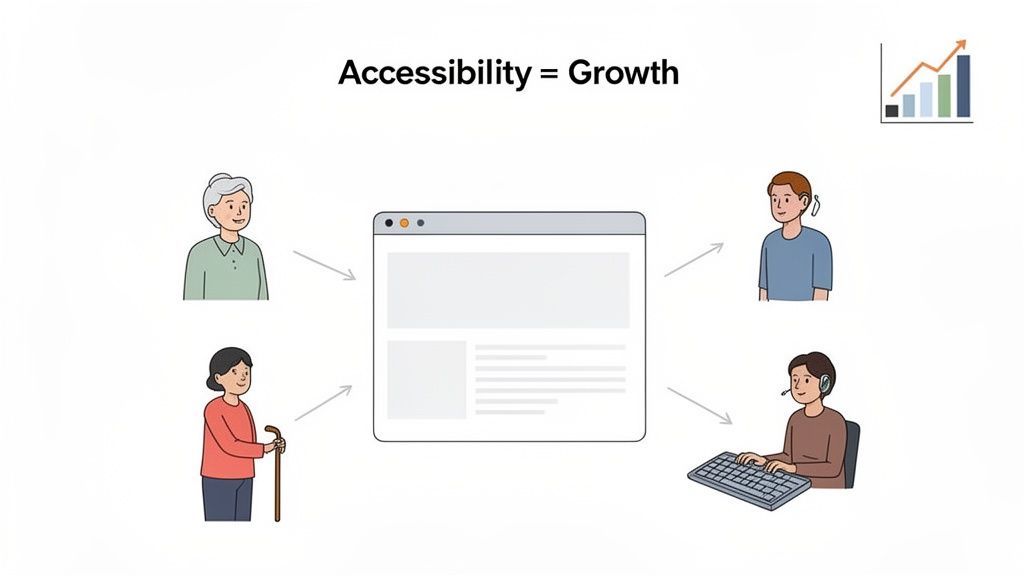
It’s time to stop thinking about web accessibility as just a technical requirement. Based on extensive experience in digital strategy, I’ve seen firsthand how it can become a powerful engine for growth. By making your site easier to use for everyone, you open the door to a much wider audience and see real, measurable results.
The concept is simple and incredibly effective. You've probably heard of the "curb-cut effect"—those ramps in sidewalks were built for wheelchair users, but they also make life easier for parents with strollers, travelers with luggage, and delivery drivers with carts. This principle demonstrates that designing for specific needs often creates universal benefits.
From User Challenge to Business Conversion
That same principle applies directly to the web. For example, a high-contrast color scheme is essential for someone with low vision, but it's also a huge help for anyone trying to read their phone screen in the bright sun. This is where solid user experience design principles become the foundation for creating truly inclusive websites that convert.
To see how this plays out, take a look at the table below. It breaks down how accessible design choices not only solve common user challenges but also directly support your business goals.
Web Accessibility at a Glance
The following table summarizes how features designed for accessibility end up creating a better, more profitable experience for your entire user base.
| Disability Type | Challenge Without Accessibility | Accessible Solution & CRO Benefit |
|---|---|---|
| Visual | Images lack context, and low-contrast text is difficult to make out. | Solution: AI-powered alt text and high-contrast modes. Benefit: Boosts SEO and makes content clearer for all users, which helps lower bounce rates. |
| Motor | The site demands precise mouse clicks, making navigation tedious or impossible. | Solution: Full keyboard navigation support. Benefit: Speeds up navigation for power users and improves the mobile experience, increasing task completion rates. |
| Cognitive | Cluttered layouts and confusing navigation lead to frustration and abandonment. | Solution: Clean, consistent layouts and a dedicated "Focus Mode." Benefit: Lowers cognitive load for everyone, creating a smoother path to conversion. |
The takeaway here is that by treating accessibility as a path to innovation, it stops being an obligation and becomes a clear-cut way to improve your bottom line.
A great first step is to see where you stand right now. Our team of experts has verified that using a website accessibility checker is a reliable way to get an instant snapshot of your site's performance and find quick wins.
Why Web Accessibility Is a Massive Business Opportunity
Let's get straight to the point: web accessibility isn't just a compliance headache. It's one of the biggest business advantages you can have today. When you make your site accessible to the 1.3 billion people with disabilities, you aren't just doing the right thing—you're creating a better experience for every single visitor. This leads directly to higher conversions, better SEO, fierce brand loyalty, and access to a massive, underserved market.
If you’re only looking at accessibility through a technical or legal lens, you're leaving money on the table. The real conversation is about opportunity, not obligation.
Think about the "digital curb-cut effect." Features built for users with specific disabilities almost always end up helping everyone. Take video captions, for example. They're essential for someone who is hard of hearing, but they’re also a lifesaver for a commuter on a noisy train or the 5.35 billion social media users who watch videos on mute.
By designing for the margins, you create a better product for the mainstream. This isn't just a feel-good statement; it's a proven business strategy that drives engagement and customer satisfaction across the board.
Expand Your Market and Unlock New Revenue
An outdated website hurting business often fails on the most basic accessibility principles. This is like putting a "Closed" sign on your digital front door for a huge group of potential customers.
We're talking about a $13 trillion untapped market driven by the 1.3 billion people—16% of the world's population—who live with a disability. Our experience shows that when businesses get accessibility right, they often see a 20-30% lift in user experience metrics for all visitors. That improvement translates directly into more sales, more leads, and a stronger bottom line. You can explore these market predictions and their impact by reviewing the latest accessibility data.
Beyond the numbers, this approach builds incredible brand loyalty. When customers feel seen and valued by your brand, they don't just buy from you—they become your biggest advocates. That kind of positive reputation is priceless.
Gain a Competitive Edge with SEO
Search engines like Google are obsessed with one thing: user experience. Their entire business model depends on delivering the most useful, relevant, and easy-to-use results. And as it turns out, the fundamentals of good web accessibility are the very same things search engine crawlers look for.
It's a perfect match. Just look at how these accessibility practices directly boost your SEO:
Proper Heading Structure (H1, H2, H3): Headings are vital for screen reader users to navigate a page. They also give search engines a clear roadmap of your content, signaling what's most important.
Descriptive Alt Text on Images: Essential for visually impaired users, alt text also tells search engines what your images are about. This helps them rank in image search and drives more organic traffic your way.
Video Transcripts and Captions: While crucial for users with hearing impairments, transcripts also create a full page of keyword-rich, indexable text that search engines can crawl, boosting your content's ranking power.
Clean, Logical Page Layout: A website that's easy to navigate with a keyboard is also a breeze for search engine bots to crawl and index efficiently.
Every accessibility improvement you make sends a strong signal to Google that your site delivers a fantastic user experience. The reward? Better visibility in search results. This isn't a happy accident; it's how modern SEO works. Inclusive design is now a core pillar of a successful search strategy.
This principle is especially critical in regulated sectors; you can learn more about digital accessibility in healthcare and see how these benefits play out. Partnering with WebAbility.io gives you the tools to turn these compliance efforts into a powerful engine for growth.
1. Visual Impairments
When most people hear the term "web accessibility," they often think first about users with visual impairments. It's a natural starting point, as the web is a predominantly visual medium. This group is incredibly diverse, covering everything from total blindness to various forms of low vision and color blindness.
It's a massive audience, too. Globally, over 2.2 billion people live with some form of vision impairment. For them, navigating a poorly designed website can range from frustrating to downright impossible. Think about trying to read an article where the text color nearly matches the background, or attempting to buy a product when all the images are just blank, silent boxes. These are the everyday barriers we need to dismantle.
What Users Experience
Let’s put ourselves in the shoes of a blind user who relies on a screen reader—software that reads out a website's content.
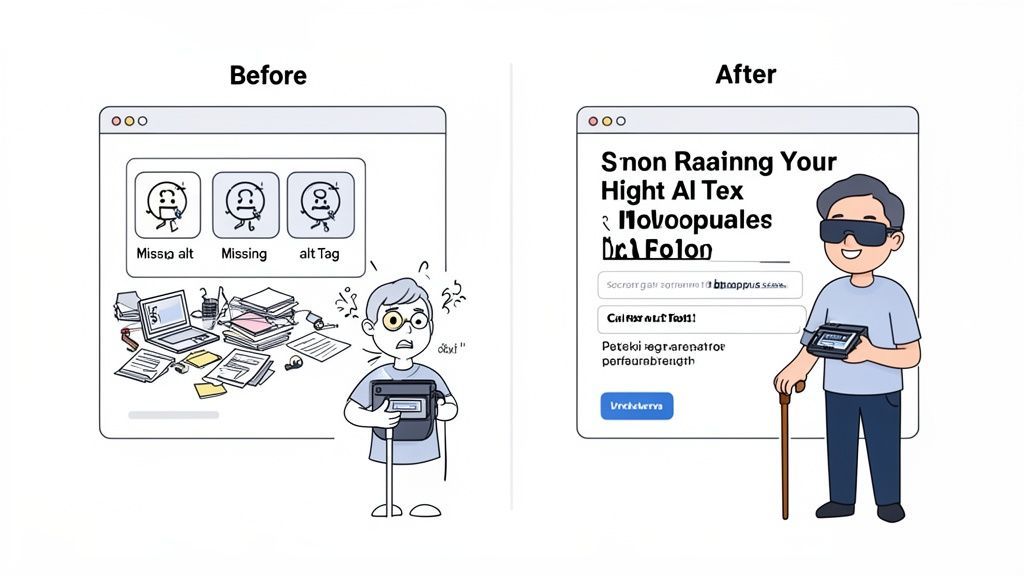
Imagine they land on an e-commerce site looking for new headphones. On an inaccessible site, their screen reader chimes out generic, unhelpful labels: "Image," "Image," "Button." They have no idea what the products look like or what the unlabeled button does. Is it "Add to Cart" or "Sign Up for Spam"? Frustrated, they'll leave.
Now, picture that same user on a site optimized with WebAbility.io. The experience is transformed. The screen reader clearly describes the first product: "Sleek, black over-ear headphones with noise-canceling feature." Every button is properly labeled, guiding them from "Add to Cart" to "Checkout." This isn't just a minor improvement; it's the critical difference between a lost sale and a loyal customer.
How to Create a Better Experience
Accommodating users with visual impairments often comes down to a few key fundamentals that, thankfully, also improve the experience for everyone.
Prioritize Meaningful Alt Text
Alternative text (or alt text) is one of the pillars of web accessibility. It’s a short, descriptive sentence embedded in your site’s code that explains what an image shows. Screen readers announce this text, giving users context they would otherwise miss.
A good rule of thumb: Alt text should convey the essential purpose and content of an image. If a picture is worth a thousand words, your alt text needs to deliver the core message in one clear sentence.
Writing alt text manually for hundreds or thousands of images can be time-consuming. That's where automated solutions like our alt text generator come in. It uses AI to efficiently create accurate, context-aware descriptions, ensuring every visual on your site is accessible without bogging down your team.
Focus on Color and Text Readability
But accessibility isn't just for screen reader users. Many people with low vision or color blindness navigate the web visually and need help with clarity. Two of the biggest wins here are color contrast and text scalability.
When your font color is too similar to its background, text can become blurry or even invisible for users with low vision. On the flip side, forcing users to pinch-and-zoom to read tiny text is a recipe for frustration, especially when it breaks the page layout.
To address these common pain points, the WebAbility.io widget empowers users with simple, one-click controls:
High-Contrast Mode: Instantly boosts the contrast across your site to make text pop.
Grayscale Mode: Removes all color, which can be a huge help for users who are sensitive to certain hues and need to focus on the content itself.
Text Scaling: Allows visitors to cleanly increase font sizes without wrecking the site's design.
To give you a clearer picture, here’s a quick breakdown of common problems and how to solve them.
Visual Accessibility Solutions
| User Challenge | Bad Practice Example | WebAbility.io Solution |
|---|---|---|
| Can't understand images | Images have no alt text or generic filenames like IMG_4052.jpg. | Automated Alt Text: AI generates descriptive alt text for all images. |
| Text is hard to read | Light gray text on a white background (low contrast). | High-Contrast & Grayscale Modes: One-click toggles adjust site colors for maximum readability. |
| Text is too small to read | The site's layout breaks or text gets cut off when the user tries to zoom in. | Text Scaler: Lets users increase font size seamlessly without disrupting the page structure. |
| Can't distinguish colors | Important information is conveyed only by color (e.g., a red dot for "error"). | Grayscale & High-Contrast Modes: Help differentiate elements by changing their lightness and darkness, not just their hue. |
By implementing these features, you’re not just checking a box for compliance. You are actively creating a more welcoming and usable website that tells every visitor, "We built this for you."
Beyond Sight: Supporting Hearing, Motor, and Cognitive Needs
When we talk about web accessibility, it's easy to focus only on visual impairments. But a truly welcoming website considers the full range of human experience. We have to think about how people hear, how they move, and how they process information.
Building a site that works for everyone isn't just about checking off a compliance list. It’s an investment that pays dividends in user experience across the board. When your site is easy to navigate without a mouse or uses clear, simple language, you're not just helping users with specific disabilities—you're also making life easier for mobile users, keyboard power-users, and even someone who’s just distracted.
Making Multimedia Content Accessible
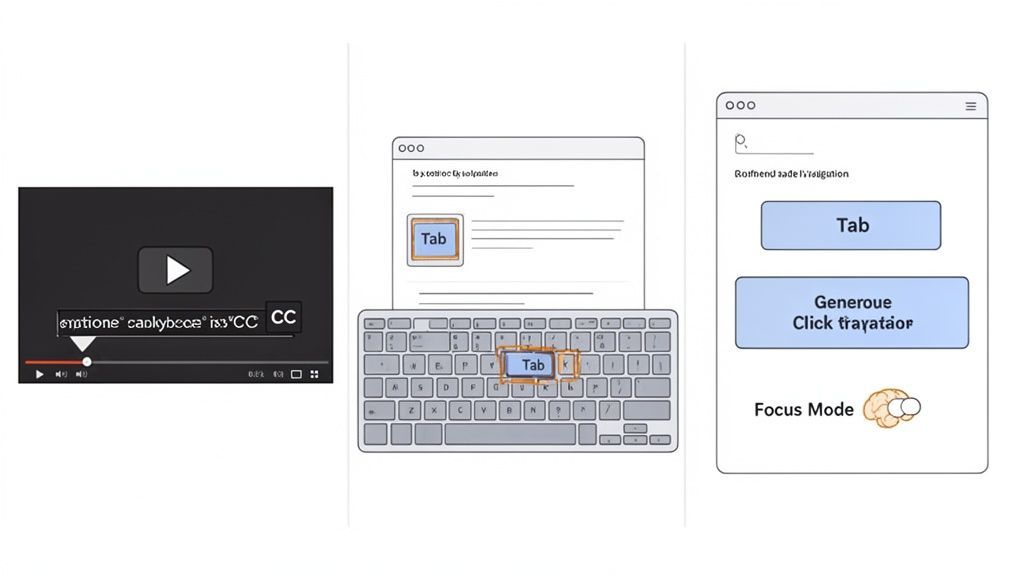
For the 430 million people around the world with disabling hearing loss, a video or podcast with no captions or transcript is simply a silent box on a screen. The content is lost, and you’ve shut out a huge potential audience.
But here’s the thing: adding captions and transcripts helps way more people than you might think. Imagine someone in a loud coffee shop, an office worker trying to be quiet, or a non-native speaker who uses captions to follow along more easily. They all benefit.
A complete transcript of your audio or video content isn't just an accessibility feature; it's a powerful SEO asset. It gives search engines a full page of keyword-rich text to crawl and index, making your content far more discoverable.
WebAbility.io helps you get this right without a major headache. Our accessibility widget works with your existing videos and audio, making sure screen readers can find the controls and users can manage playback seamlessly.
Ensuring Full Keyboard Navigation
Many people can't use a mouse. Whether it’s due to tremors, arthritis, paralysis, or a temporary injury, they rely on a keyboard or other specialized input devices to browse the web. If your site isn’t fully keyboard-operable, it’s the digital equivalent of a building with only stairs.
Our firsthand experience has shown this trips up so many websites. The common pitfalls include:
Links and buttons that only work with a mouse click.
A confusing tab order that bounces the user randomly around the page.
No visible focus indicator, so you have no idea which link or button is currently selected.
Proper keyboard navigation is a hallmark of clean, thoughtful design. It allows someone to tab logically through every interactive element—from the main menu down to the "submit" button on a form—in an order that makes sense. This not only empowers users with motor disabilities but also makes your site more efficient for anyone who prefers keyboard shortcuts.
The WebAbility.io widget instantly shores up your site’s keyboard navigation. It makes sure every interactive element is reachable and adds a clear, visible focus indicator, so users never get lost on the page.
Designing for Cognitive and Neurodivergent Needs
Cognitive accessibility is all about making your website easy to understand and use. This is crucial for a wide range of people, including those with dyslexia, ADHD, autism, or age-related cognitive changes. A site with a cluttered layout, dense jargon, or distracting, auto-playing animations creates a high "cognitive load" that can easily lead to frustration and abandonment.
You can make a massive difference with a few simple design choices:
Use plain language: Write clearly and concisely. Ditch the corporate-speak.
Keep layouts consistent: A predictable structure helps people orient themselves and find what they need without having to re-learn every page.
Avoid sudden interruptions: Flashing ads, pop-ups, and auto-playing videos can be incredibly jarring and disruptive.
The WebAbility.io platform offers tools built specifically to reduce cognitive load. With a single click, a user can enable "Focus Mode," which dims distracting elements on the page so they can concentrate on the main content. Our widget also provides a dyslexia-friendly font and text-to-speech functionality, giving people the power to consume your content in the way that suits them best. When you empower visitors to tailor their own experience, you see higher engagement and better outcomes for everyone.
Understanding the Legal Stakes of Digital Compliance
Let’s be honest—for many businesses, the conversation about accessibility starts when legal risk enters the room. But seeing this purely through a legal lens is a missed opportunity. Treating digital accessibility as a proactive strategy, rather than a reactive fix, is just smart business. It protects your brand, builds trust, and ultimately, opens your doors to a wider audience.
The rules and regulations around digital compliance can feel like a tangled mess, but they all share a common thread. At their core, these laws are about ensuring people with disabilities have the same access to information and services as everyone else.
The Key Regulations Driving Compliance
While laws differ from one country to the next, a few key pieces of legislation have set the standard for the entire digital world. Even if a specific rule doesn't apply directly to your private-sector business, it's shaping the legal precedents and customer expectations you'll face.
Here are the big ones you need to have on your radar:
Americans with Disabilities Act (ADA): In the U.S., Title III of the ADA is the hammer. Courts have repeatedly ruled that commercial websites are "places of public accommodation," meaning they must be accessible.
Section 508: This law requires U.S. federal agencies and their contractors to ensure their technology is accessible. Because it’s so thorough, many private companies have adopted its standards as a best practice.
AODA (Accessibility for Ontarians with Disabilities Act): A Canadian law that sets clear accessibility requirements for organizations in Ontario, including their websites.
EN 301 549: This is the European standard for public sector bodies, but its influence extends across the continent, guiding how businesses operating in the E.U. approach accessibility.
Notice a pattern? All these regulations point toward one technical benchmark: the Web Content Accessibility Guidelines (WCAG), specifically Level AA. If you want the most reliable way to mitigate legal risk, meeting this standard is your goal.
Lawsuits and Deadlines Are on the Rise
The pressure is mounting, and it's happening fast. We’re not just talking about a slow increase in legal chatter; we’re seeing a real surge. In 2025 alone, a staggering 5,114 ADA lawsuits were filed over web accessibility. This sharp increase makes it clear that 2026 is shaping up to be a critical year for compliance. You can find more detailed accessibility statistics here.
On top of that, a major federal deadline is looming. As of April 24, 2026, new DOJ Title II rules will require public entities serving 50,000 or more people to make their websites and apps compliant with WCAG 2.1 Level AA.
Make no mistake: what's happening in the public sector sets the stage for the private sector. These lawsuits and deadlines are establishing WCAG 2.1 AA as the undisputed standard of care for any business operating online.
Waiting for a demand letter to arrive is a risky and expensive game. It’s a strategy that hurts your bottom line and chips away at the trust you’ve built with your customers.
From Legal Anxiety to Proactive Confidence
You don't have to live in fear of a potential lawsuit. The right approach turns compliance from a source of anxiety into a systematic, manageable part of your operations. This is exactly where WebAbility.io can give you a steady hand.
Think of our platform as your accessibility command center. It’s built to help you stay ahead of the curve.
Real-Time Monitoring: No more guessing games. You get a continuous, live look at your site’s compliance status.
Automated Reporting: We make it easy to generate the reports you need to prove due diligence and show progress to your team and stakeholders.
Risk Management: Our tools help you spot and prioritize the most critical issues before they have a chance to become legal headaches.
With this kind of support, you can shift from a defensive crouch to a confident, forward-thinking stance. You’re not just protecting your business; you’re making a conscious decision to serve every single customer well. Our platform helps you build a strong foundation, turning a complex legal landscape into a clear path toward growth.
How to Implement Web Accessibility With WebAbility.io
Turning accessibility principles into practice shouldn't be a drawn-out, complicated affair. With a tool like WebAbility.io, you can get from theory to action in a matter of minutes. You don’t need a whole team of developers to start making a real difference toward a more inclusive and compliant website.
It’s hard to believe, but most of the web is still getting this wrong. As of 2025, a staggering 96.3% of all websites fail to meet basic accessibility standards. The average homepage has over 51 distinct accessibility errors, which means a user relying on assistive tech runs into a new roadblock every 24 elements they interact with.
Get Started in Minutes
We designed the whole process to be as painless as possible. If you’re on a common platform like WordPress or Shopify, installing the WebAbility.io AI-enhanced widget is literally a copy-and-paste job that takes just a few minutes.
The moment it's installed and activated, you’re already providing value. The widget immediately starts tackling common WCAG issues and gives your visitors a toolkit with over 40 features they can use to customize their experience. It’s an instant signal that you take inclusion seriously.
For any business, the journey toward digital compliance involves moving from simply understanding the rules to actively preventing lawsuits and building a proactive, sustainable strategy.
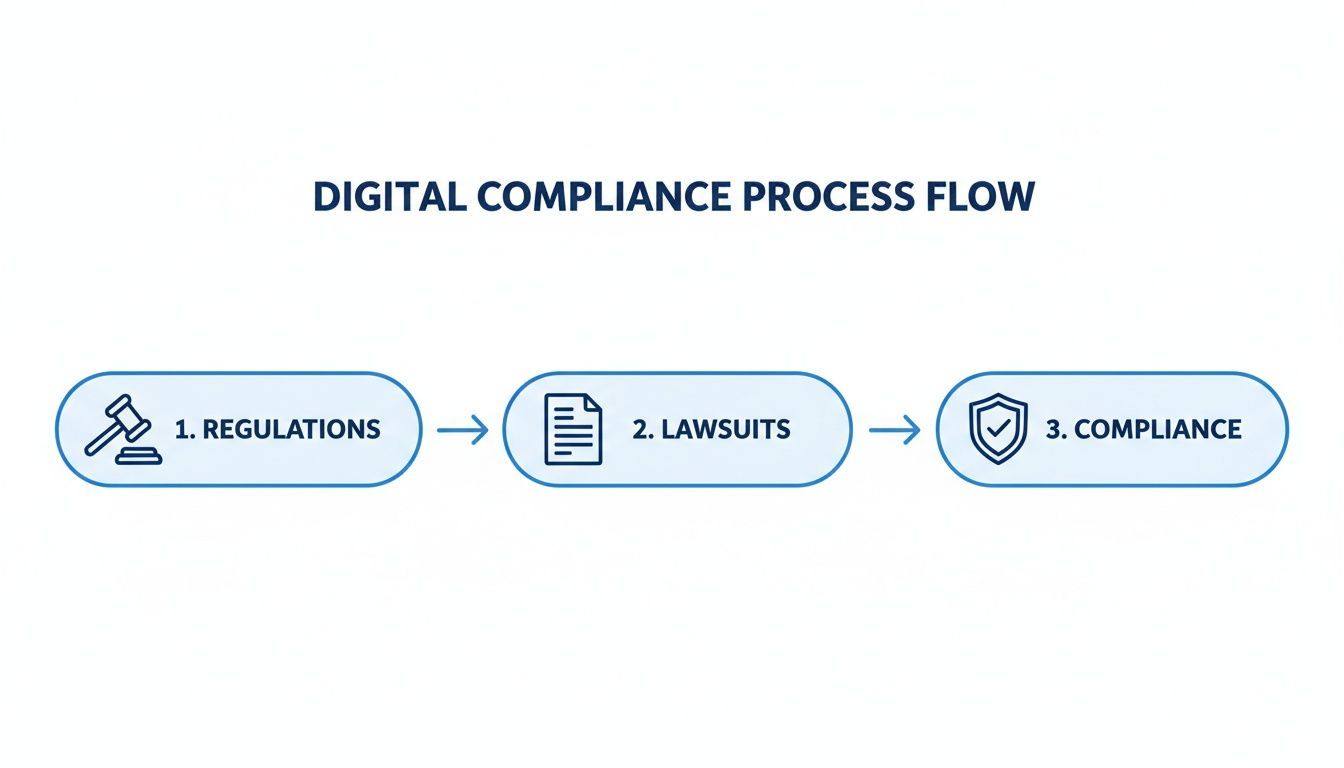
This process highlights why it's so important to get ahead of legal risks and bake compliance into your operations, turning it into a protective asset for your business.
From Insights to Action
Once you’ve installed the widget, the WebAbility.io dashboard becomes your home base for compliance. It gives you an immediate score and a clear look at your site's accessibility health, so you know exactly where you stand. You can spot problem areas at a glance and track your improvements over time.
The goal isn't just to add a tool; it's to create a sustainable process for continuous improvement. The dashboard makes this manageable, turning complex data into clear, actionable steps for your team.
Try It Yourself with Free Tools
Want to get a feel for it first? We've put together a few powerful, free tools so you can start exploring your site's accessibility without any commitment.
Free Website Scanner: Get an instant report card on your site’s current accessibility status.
Color Contrast Checker: A must-have for making sure your text is readable for people with low vision.
AI Alt Text Generator: Quickly create meaningful descriptions for your images, a huge win for screen reader users.
These tools are built to deliver real value right away and show you just how manageable improving web accessibility can be. They give you the power to take small but meaningful steps, starting today.
Ready to see how simple it is to make your website more accessible? Start your free trial today or schedule a personalized demo with one of our experts to see WebAbility.io in action.
Common Questions About Web Accessibility
Is making our website fully accessible really expensive and time-consuming?
That’s probably the number one concern we hear, and it’s understandable. In the past, achieving accessibility often meant a massive manual overhaul. Thankfully, modern technology offers more efficient pathways.
Tools like WebAbility.io have changed the game. Our AI-powered widget can be installed in minutes, and it gets to work immediately, addressing a significant number of common WCAG issues on the spot. It's a quick win that shows immediate progress.
Think of it as a strategic investment. You're not just ticking a box; you're preventing potential legal headaches and opening up your site to a much wider audience. The return on that investment is significant.
Will adding an accessibility widget slow down my website?
Not at all. The WebAbility.io widget is engineered with performance as a top priority. It loads asynchronously, a technical term that just means it loads independently from your website's main content.
Your pages will load just as fast as they always have, so the experience for your existing users won't change. The accessibility features are simply there, ready and waiting for anyone who needs them. In fact, many accessibility best practices, like using clean code, can actually make your site faster over time.
An accessibility widget is a powerful first step. It immediately bridges the gap for many users by addressing common issues and dramatically improving their experience right away.
Can we become fully WCAG compliant just by using a widget?
An accessibility widget is an incredibly powerful tool and a critical part of a modern compliance strategy. It provides immediate, substantial improvements by automating fixes for many common issues.
For comprehensive, long-term compliance, the most effective approach combines technology with human expertise. This is why WebAbility.io offers a complete solution. Our AI-powered widget handles the automated layer, while our full suite of services—including 24/7 accessibility scanning, expert audits, and detailed reports—guides your team on any manual fixes needed.
This blended approach ensures you are not just compliant today but are building a sustainable foundation for a truly accessible website.
Ready to build an inclusive website that welcomes everyone and unlocks new opportunities for your business? WebAbility.io provides the tools and expert guidance you need.
Discover how our complete platform can help you achieve and maintain compliance.
Quick Questions
Tap to ask AI about this article