10 Essential Assistive Technology Types to Know in 2025

Sidharth Nayyar
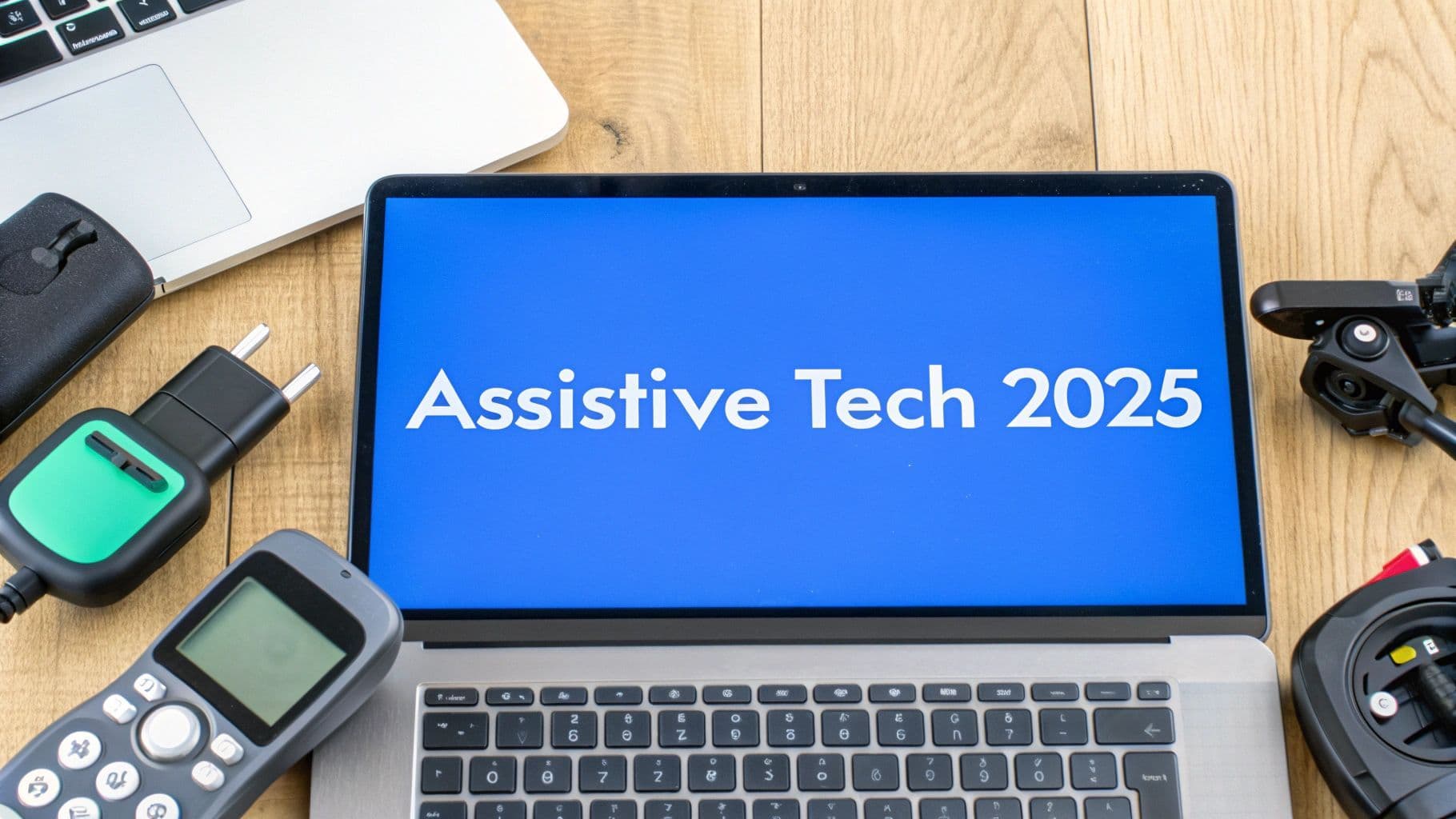
TL;DR: This article provides a comprehensive roundup of 10 key assistive technology types. Each section covers a specific category like Screen Readers, Communication Devices, and Mobility Aids, detailing their features, benefits, costs, real-world examples, and practical tips for effective use. We'll explore everything from high-tech computer access tools to essential seating systems, showing how each technology empowers individuals with disabilities to live, work, and connect more independently.
For millions of people, assistive technology (AT) is a critical bridge to independence, communication, and opportunity. These tools and systems are essential for navigating digital content, expressing thoughts, moving freely, and managing daily life with greater autonomy. Understanding the different assistive technology types is no longer a niche concern; it's a fundamental aspect of creating inclusive environments, both online and offline.
This guide moves beyond broad definitions to provide a practical roundup of today's most impactful assistive technologies. We will explore everything from software that reads a screen aloud to devices that control a home with a voice command, offering specific examples and real-world applications for each. For web developers and businesses, this knowledge is vital for ensuring digital platforms are truly accessible. To truly unlock potential, it's vital to consider specialized tools, such as the dedicated assistive technologies for dyslexia).
By breaking down each category, this article provides the actionable insights needed to understand how these tools function and who they benefit. Our goal is to equip you with the information necessary to support accessibility initiatives, improve user experiences, and contribute to a more equitable world for everyone.
1. Screen Readers
TL;DR: Screen readers are essential software applications that convert digital text on a screen into synthesized speech or Braille output. This technology is a cornerstone of digital accessibility, providing a critical bridge for individuals with visual impairments to independently navigate computers, websites, and mobile applications.
Screen readers are one of the most fundamental types of assistive technology, acting as the eyes for users who are blind or have low vision. Instead of relying on a graphical user interface (GUI), users interact with their devices through audio cues and keyboard commands. The software meticulously reads everything on the screen, including text, icons, buttons, and links, allowing the user to understand the layout and content of a webpage or application.
Why This Technology Matters
For web development teams and digital agencies, understanding screen readers is non-negotiable for achieving genuine WCAG compliance. A website that is not navigable with a screen reader effectively excludes a significant portion of the population, opening organizations up to legal risk and alienating potential customers. Proper implementation of ARIA (Accessible Rich Internet Applications) labels and semantic HTML is crucial for screen readers to interpret content correctly.
Popular Examples and Use Cases
Several screen readers dominate the market, each with a specific user base.
Built-in Options:Apple's VoiceOver and Microsoft's Narrator are integrated directly into their respective operating systems, providing a free and accessible starting point.
Third-Party Software:JAWS (Job Access With Speech) is a powerful, feature-rich option widely used in professional and corporate environments.
Open-Source Solutions:NVDA (NonVisual Desktop Access) is a free, open-source screen reader popular in educational institutions and among users globally.
Actionable Tips for Implementation
To maximize the effectiveness of screen readers:
Start with built-in tools like VoiceOver or Narrator to learn the basics before investing in paid software.
Master keyboard shortcuts, as they are the primary method of navigation. Daily practice builds crucial muscle memory.
Use heading navigation (jumping from H1 to H2, etc.) to quickly scan and understand the structure of a webpage.
Gradually increase the speech rate as you become more proficient to consume content more efficiently.
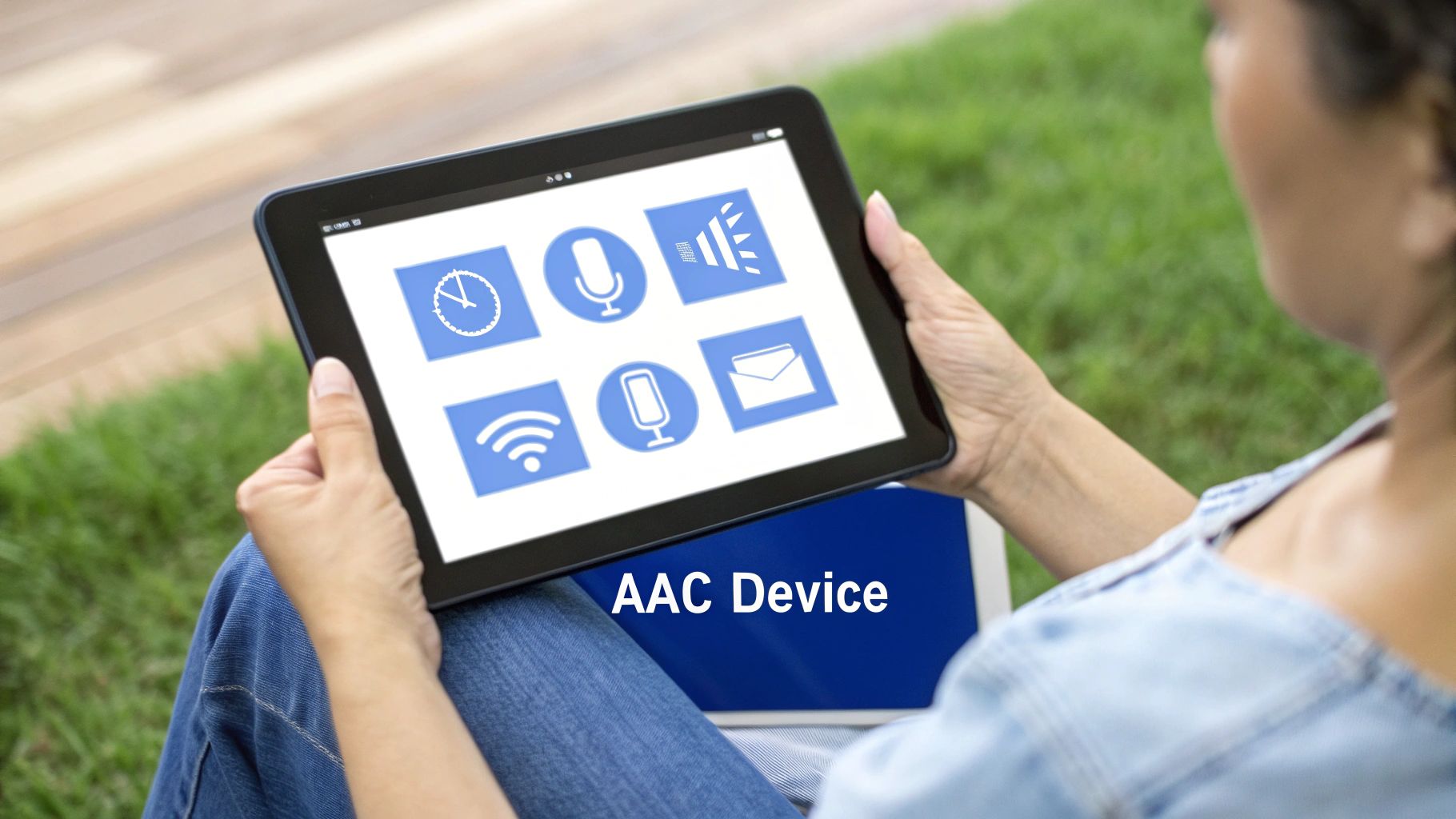
2. Communication Devices (AAC)
TL;DR: Augmentative and Alternative Communication (AAC) devices empower individuals with speech or language impairments to express themselves. These tools range from simple picture boards to advanced speech-generating software, providing a vital voice for users who cannot rely on verbal communication.
Communication devices are a critical category of assistive technology types, designed to supplement or replace speech for individuals with communication disorders. Users select symbols, pictures, letters, or words on a device, which then generates synthesized speech or a visual message. This technology enables meaningful participation in conversations, education, and daily life for people with conditions like cerebral palsy, autism, ALS, and aphasia after a stroke.

Why This Technology Matters
For those who develop apps, software, or even voice-activated interfaces, understanding AAC is crucial. It highlights the diverse ways people communicate and interact with technology. Ensuring digital products are compatible with various input methods beyond a standard keyboard or mouse, such as switch access or eye-gaze control used with AAC, broadens accessibility. It underscores the importance of flexible UI design and supports the growing field of voice control and accessibility.
Popular Examples and Use Cases
Leading AAC solutions serve a wide range of needs in various settings.
Specialized Apps:Proloquo2Go is a popular symbol-based app used extensively in schools to help children with autism communicate.
Dedicated Devices:Tobii Dynavox is an industry leader, providing integrated hardware and software solutions used in rehabilitation hospitals and by individuals with complex physical needs.
Methodology-Based Systems:LAMP Words for Life is a vocabulary program based on motor planning principles, often used to support individuals with cerebral palsy.
Actionable Tips for Implementation
To effectively integrate AAC into a user's life:
Start with core vocabulary that includes the most frequently used words to enable spontaneous communication.
Involve family and educators in training to ensure consistent use and support across all environments.
Practice in real-world situations, like ordering food or asking questions, to build confidence and skill.
Use modeling by speaking aloud while simultaneously selecting the corresponding symbols on the device.
Regularly backup the user's customized vocabulary and device settings to prevent data loss.
3. Hearing Aids and Assistive Listening Devices
TL;DR: These electronic devices amplify, process, and clarify sound for individuals with hearing loss. Ranging from personal hearing aids to large-area loop systems, this assistive technology type is crucial for enabling participation in conversations, education, and public life.
Hearing aids and assistive listening devices (ALDs) are designed to make sound more accessible. While traditional hearing aids amplify sounds for the user, ALDs work to overcome challenges like distance, background noise, and poor acoustics. They capture a desired sound source and transmit it directly to the user's ear, a hearing aid, or a cochlear implant, significantly improving clarity.
Why This Technology Matters
For organizations, understanding this technology is key to creating inclusive physical and digital spaces. Installing hearing loops in venues or ensuring multimedia content is compatible with hearing technology broadens accessibility. Beyond traditional hardware, digital tools are also emerging as crucial assistive technologies. For instance, for hearing assistance, consider how platforms provide access to audio content for the hearing impaired through podcast subtitle generators. This aligns with WCAG principles by providing alternatives to audio-only content, a critical consideration for web developers. Learn more about supporting the hearing impaired on Webability.io.
Popular Examples and Use Cases
These devices are used in diverse settings, from one-on-one conversations to large auditoriums.
Personal Hearing Aids: Brands like Phonak and Oticon offer advanced digital processing and smartphone integration for daily use.
Cochlear Implants: For profound hearing loss, companies like Cochlear Limited provide surgical solutions that bypass damaged parts of the ear.
Assistive Listening Systems: Roger Pen systems are used in meetings, while FM/DM and hearing loop systems are common in classrooms and theaters.
Actionable Tips for Implementation
To get the most out of these devices:
Seek professional fitting and schedule regular adjustments with an audiologist to ensure optimal performance.
Adapt gradually by starting to wear new devices in quiet, familiar environments before using them in noisy settings.
Perform regular maintenance, including cleaning and battery checks, as outlined by the manufacturer.
Advocate for hearing loops in public venues like theaters, airports, and conference centers to improve community accessibility.
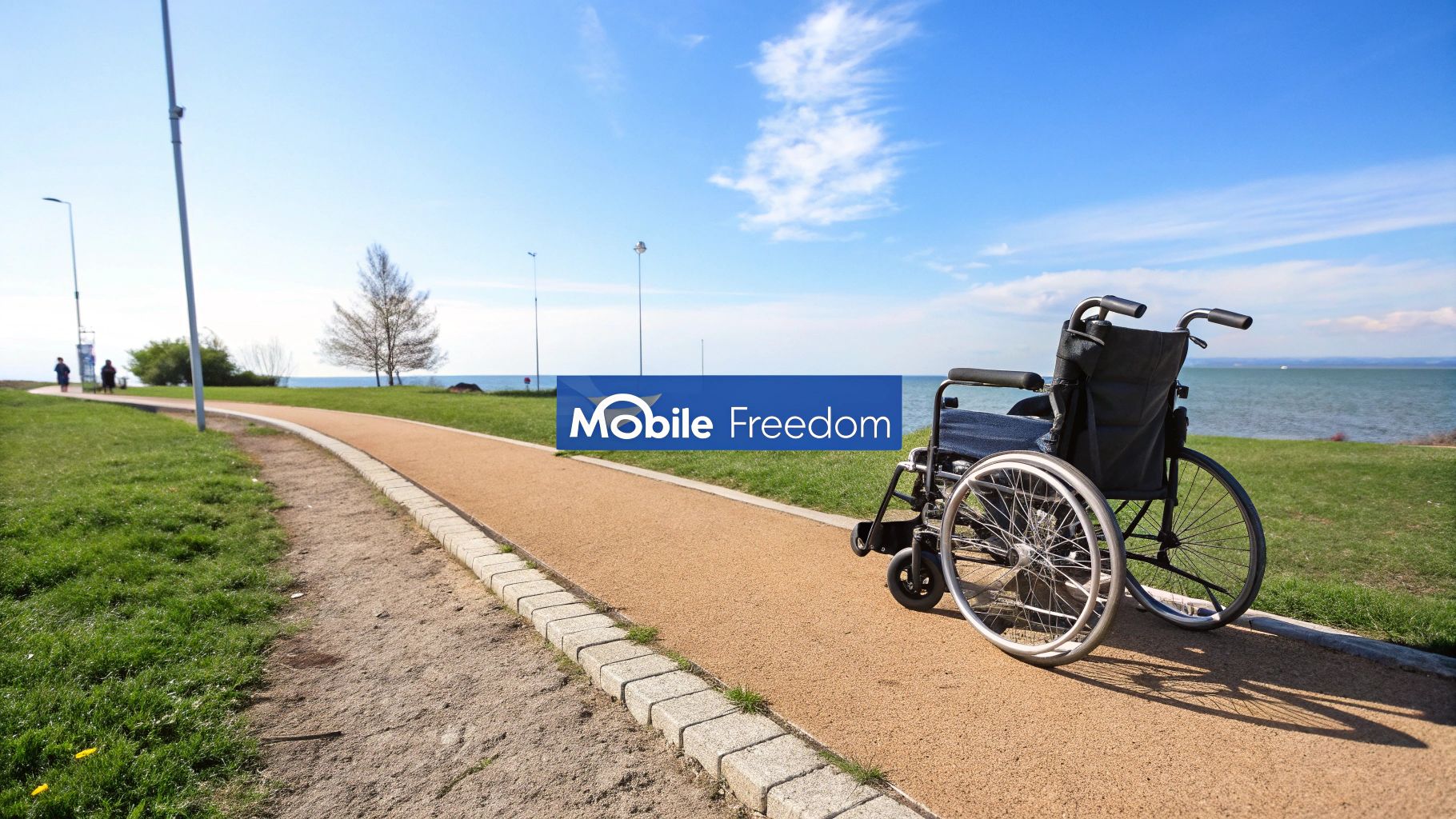
4. Mobility Aids
TL;DR: Mobility aids are physical devices that enhance independence, safety, and movement for individuals with mobility impairments. Ranging from simple canes to advanced power wheelchairs, this category of assistive technology types is fundamental to helping people navigate their homes, communities, and workplaces.
Mobility aids encompass a wide array of equipment designed to assist with walking, movement, and navigation. These tools are crucial for individuals with physical disabilities, injuries, or age-related conditions that affect their ability to move freely. By providing support, stability, or a complete substitute for walking, these devices empower users to maintain their autonomy and participate more fully in daily activities.
Why This Technology Matters
For organizations, understanding mobility aids is essential for creating physically accessible environments, which is just as important as digital accessibility. Public venues, corporate offices, and retail spaces must accommodate users of wheelchairs, walkers, and scooters to comply with regulations like the Americans with Disabilities Act (ADA). This includes providing ramps, accessible restrooms, and clear pathways, ensuring an inclusive experience for all visitors and employees.
Popular Examples and Use Cases
The diversity of mobility aids ensures a solution for nearly every need.
Power Wheelchairs:Permobil and Pride Mobility offer advanced power chairs that individuals with significant mobility limitations, such as spinal cord injuries, use for independent movement.
Walkers and Rollators: Brands like Drive Medical and Invacare provide walkers that help seniors and others with balance issues maintain stability and independence.
Lightweight Manual Chairs:Quickie Wheelchairs are popular for their lightweight, high-performance designs, favored by active users.
Mobility Scooters: These are commonly used in large facilities or for outdoor travel, offering a powered transportation alternative.
Actionable Tips for Implementation
To ensure the effective use of mobility aids:
Get a professional assessment from a physical or occupational therapist to ensure the device is properly fitted and suited to your specific needs.
Practice in a safe, controlled environment before navigating busy public spaces to build confidence and skill.
Regularly maintain the equipment according to the manufacturer's guidelines to ensure safety and longevity.
Consider backup options, like a manual wheelchair, in case your primary powered device needs repairs.
5. Cognitive Assistance Tools
TL;DR: Cognitive assistance tools are applications and devices that support users with memory, attention, organization, and executive functioning. This category of assistive technology types helps individuals with cognitive disabilities, brain injuries, or age-related decline manage daily tasks and maintain independence.
Cognitive assistance tools act as an external support system for the brain. They are designed to help users process information, stay organized, and navigate daily routines. This can range from simple reminder apps on a smartphone to sophisticated smart home systems that automate complex sequences of tasks, reducing cognitive load and enhancing safety.
Why This Technology Matters
For digital product teams, designing with cognitive accessibility in mind is a crucial aspect of inclusive design. Interfaces that are clear, predictable, and offer prompts or guidance can significantly improve usability for everyone, not just those with diagnosed cognitive conditions. Understanding the principles behind these tools is key to creating more supportive digital experiences. Learn more about the importance of cognitive accessibility in the digital age.
Popular Examples and Use Cases
These tools are increasingly integrated into mainstream technology, making them widely accessible.
Reminder and Task Management: Voice assistants like Amazon's Alexa and Apple's Siri are used for medication reminders and scheduling.
Daily Routine Support: Apps like MindMate help individuals with dementia follow structured daily routines and stay engaged.
Medication Management: Smart dispensers like Hero Health automatically sort and dispense pills with alerts.
Navigation and Safety: GPS trackers and location services in smartphones provide safety for individuals who may wander, such as those with autism or Alzheimer's.
Actionable Tips for Implementation
To effectively integrate these tools into a user's life:
Start simple with one or two core functions, like a daily reminder, before adding more complex features.
Involve caregivers or family members in the setup and monitoring process to ensure the tool is used correctly and consistently.
Establish consistent routines using familiar interfaces to reduce the learning curve and build user confidence.
Create backup systems, such as manual checklists or caregiver alerts, for critical functions like medication management.
6. Environmental Control Systems
TL;DR: Environmental Control Systems (ECS) are integrated technologies that empower individuals with significant mobility or dexterity impairments to independently manage their surroundings. These systems use a central interface to control devices like lights, thermostats, doors, and entertainment systems, often through voice, a single switch, or an app.
Among the most impactful assistive technology types, ECS transforms a living space into an accessible environment. For a person with a spinal cord injury, quadriplegia, or advanced multiple sclerosis, simple tasks like turning on a light or adjusting the room temperature can be impossible without assistance. An ECS provides a unified command center, enabling users to regain a significant degree of autonomy and control over their daily lives.
Why This Technology Matters
The importance of ECS extends beyond mere convenience; it is about dignity, independence, and safety. By automating home functions, these systems reduce reliance on caregivers, enhance personal privacy, and can be critical in emergencies, allowing a user to call for help or unlock a door for first responders. For organizations in healthcare and accessible housing, integrating ECS is a key part of providing comprehensive, modern care.
Popular Examples and Use Cases
The consumer smart home market has made powerful ECS technology more accessible than ever.
Voice-Activated Hubs: The Amazon Alexa ecosystem and Google Home are widely used to control compatible smart plugs, thermostats, and lighting systems like Philips Hue with simple voice commands.
Integrated Home Automation: Companies like Control4 offer sophisticated, whole-home automation systems that can be tailored to specific accessibility needs, integrating everything from security to media.
IoT Platforms:Samsung SmartThings provides a platform that unifies devices from various manufacturers, allowing for complex and customized control routines accessible via a smartphone app or other interfaces.
Actionable Tips for Implementation
To set up an effective ECS:
Start with essential functions like lighting, temperature control, and a way to call for help before adding more complex devices.
Ensure reliable backup power for critical systems, such as door locks or emergency call buttons, to maintain safety during an outage.
Train multiple family members or caregivers on the system’s operation, including manual overrides and troubleshooting basics.
Regularly test all features, especially emergency functions, to ensure they work when needed.
7. Computer Access Tools
TL;DR: Computer access tools are specialized hardware and software that provide alternative methods for interacting with a computer. They are essential for individuals with physical or motor disabilities who cannot use a standard keyboard and mouse, enabling them to navigate digital environments effectively.
These tools are a critical category of assistive technology types, offering a gateway to digital independence for users with conditions like repetitive strain injuries, cerebral palsy, or ALS. The technology bypasses traditional input methods, translating movements or voice commands into cursor control and text entry. Solutions range from voice navigation and eye-tracking systems to alternative keyboards and switch-activated devices.
Why This Technology Matters
For digital agencies and developers, recognizing the existence of these tools is crucial for inclusive design. Websites and applications must be designed with flexible input in mind, ensuring all interactive elements are large enough and spaced appropriately for head-mouse or eye-tracking navigation. Keyboard-only accessibility is the foundation, but a well-designed interface also supports users who rely on dwell-clicking or switch scanning.
Popular Examples and Use Cases
A wide array of tools addresses diverse physical access needs.
Speech Recognition:Maestra Live Transcribe allows writers with repetitive strain injuries to dictate text and control their computer entirely by voice.
Eye-Tracking Systems:Tobii Dynavox devices enable individuals with ALS to control a cursor using only their eye movements.
Head-Mouse Devices: Head-mouse systems from companies like Origin Instruments translate a user's head movements into mouse pointer motion for those with limited hand mobility.
Switch-Activated Keyboards: Solutions from AbleNet allow individuals with cerebral palsy to select keys by activating a simple switch, often used with on-screen keyboards.
Actionable Tips for Implementation
To get the most out of computer access tools:
Trial different systems before purchasing to find the best fit for specific motor capabilities.
Invest time in proper calibration and training, as initial setup is key to accuracy and reducing user frustration.
Create custom macros and voice commands for frequently performed tasks to boost efficiency.
Keep backup input methods available to ensure continued access if the primary tool fails or causes fatigue.
8. Visual Aids and Magnification Systems
TL;DR: Visual aids and magnification systems are optical and electronic devices that enlarge text, images, and objects. This technology is crucial for individuals with low vision, enabling them to read print materials, view digital content, and interact with their physical environment more easily.
Magnification systems are a vital category of assistive technology types, offering a direct solution for users who have some usable vision but struggle with standard-sized text and objects. These tools range from simple handheld magnifying glasses to sophisticated desktop video magnifiers and software that enlarges content on a computer screen. By increasing the size of visual information, these aids empower users to maintain independence in daily tasks like reading mail, navigating workplaces, and using computers.
Why This Technology Matters
For digital agencies and developers, understanding screen magnification software is essential for creating accessible digital experiences. Unlike screen readers that rely on audio, magnifiers depend on the visual layout. Ensuring that a website or application maintains its usability and logical structure when zoomed in to 200% or 400% is a key WCAG requirement. A design that breaks or becomes disoriented at high magnification levels fails to serve this significant user base.
Popular Examples and Use Cases
Magnification tools are deployed in various settings to overcome specific challenges.
Software Magnifiers:Freedom Scientific's ZoomText and its predecessor MAGic are widely used to enlarge computer displays, often paired with high-contrast color schemes.
Desktop Video Magnifiers: Systems like the HumanWare Explore or Optelec ClearView are common in offices and libraries, allowing users to magnify physical documents onto a large monitor.
Portable Magnifiers: Handheld electronic magnifiers are indispensable for tasks on the go, such as reading menus, price tags, or travel documents.
Smartphone Apps: Built-in accessibility features on iOS and Android, along with dedicated apps, provide quick, convenient magnification for everyday needs.
Actionable Tips for Implementation
To get the most out of magnification systems:
Experiment with contrast and color settings to find the combination that reduces eye strain and improves clarity for you.
Ensure proper ergonomics by positioning monitors and devices to avoid neck and back strain during prolonged use.
Use adequate ambient lighting in combination with the device’s built-in light to minimize glare and enhance visibility.
Combine magnification with audio output where available; listening to long text passages can be more efficient than reading them enlarged.
9. Seating and Positioning Systems
TL;DR: Seating and positioning systems are specialized cushions, supports, and chairs designed to ensure proper body alignment, pressure relief, and postural stability. This type of assistive technology is crucial for individuals who use wheelchairs or have conditions affecting their posture, preventing health complications and enhancing comfort.
For individuals with mobility impairments or conditions like cerebral palsy, proper seating is not just about comfort; it is a critical medical necessity. These systems are engineered to distribute pressure evenly, reducing the risk of painful and dangerous pressure ulcers. They also provide tailored support to maintain a healthy posture, which can improve breathing, digestion, and overall functional ability.
Why This Technology Matters
Understanding the role of proper seating is vital in creating truly inclusive physical environments, from offices to educational institutions. Poor positioning can lead to chronic pain, fatigue, and long-term health issues, limiting an individual's ability to participate fully in work or learning. By providing appropriate seating, organizations demonstrate a commitment to the well-being and productivity of all individuals.
Popular Examples and Use Cases
These systems are highly customized to meet specific user needs.
Pressure Relief: ROHO air flotation cushions are a gold standard for preventing skin breakdown in long-term wheelchair users.
Pediatric Support:Stealth Products offers highly configurable systems that support children with complex postural needs, adapting as they grow.
Custom Contouring:Ride Designs creates custom-molded seating that provides precise support based on an individual's unique body shape.
Integrated Solutions: Sunrise Medical's JAY cushions are often integrated into complex mobility systems to balance stability and pressure care.
Actionable Tips for Implementation
To ensure the best outcomes with seating systems:
Get a professional assessment from an occupational or physical therapist to identify specific postural and pressure needs.
Perform regular skin checks to monitor for any redness or pressure points, especially when using a new system.
Consider lifestyle and daily activities when selecting a system to ensure it supports the user’s functional goals.
Plan for future changes in condition or body growth by choosing adaptable or modular systems.
10. Smart Home and IoT Assistive Devices
TL;DR: Smart home and IoT assistive devices are internet-connected systems that automate home functions, providing remote control, monitoring, and assistance. They empower individuals with mobility, cognitive, and sensory disabilities to live more independently and safely by automating daily tasks and enabling remote support.
This category of assistive technology types leverages the Internet of Things (IoT) to create an interconnected living environment. Smart speakers, sensors, automated medication dispensers, and health monitoring systems work together to assist with tasks that might otherwise be challenging. Users can control lighting, thermostats, and door locks with voice commands or a simple tap on a smartphone, significantly increasing autonomy for individuals with physical limitations.
Why This Technology Matters
For caregivers and individuals alike, smart home technology offers peace of mind and enhanced safety. Automated systems can send alerts for falls, missed medication, or unusual activity, allowing for swift intervention. As society ages and more individuals prefer to age in place, these technologies provide a scalable solution for remote care and support, reducing the burden on family members and formal healthcare systems.
Popular Examples and Use Cases
The integration of health and home automation is a rapidly growing field, pioneered by major tech companies.
Senior Monitoring:Amazon's Alexa Care Hub allows family members to check in on an elderly relative's activity and receive alerts.
Health and Safety: The Apple Watch's fall detection feature automatically contacts emergency services if a hard fall is detected and the user is unresponsive.
Medication Management: Smart pill dispensers send notifications to users and their families, ensuring medication is taken on time.
Activity Monitoring: Motion sensors can be placed throughout a home to non-intrusively monitor daily routines and detect potential issues.
Actionable Tips for Implementation
To effectively integrate these devices into a support system:
Start small with one or two key devices, like a smart speaker and smart plugs, before building a more complex system.
Ensure a strong, reliable internet connection is in place, as the entire system depends on it.
Set up emergency contacts and backup systems in case of technology failure or a power outage.
Regularly test alert and monitoring functions to confirm they are working correctly.
Carefully consider privacy settings and data-sharing preferences to protect personal information.
Assistive Technology Types Comparison Matrix
| Item | Implementation Complexity | Resource Requirements | Expected Outcomes | Ideal Use Cases | Key Advantages |
|---|---|---|---|---|---|
| Screen Readers | Moderate (software setup and training needed) | Moderate (software, sometimes cost involved) | Enables digital content access for visually impaired | Blind or severely visually impaired individuals | Cross-platform access, customizable speech |
| Communication Devices (AAC) | High (device setup, customization, and training) | High (expensive devices, training time) | Facilitates communication for non-verbal users | Individuals with speech or language impairments | Supports speech/language, portable, customizable |
| Hearing Aids & Assistive Listening Devices | Moderate to high (professional fitting required) | High (costly devices, maintenance) | Enhances hearing and sound clarity | People with mild to profound hearing loss | Improved hearing quality, smartphone integration |
| Mobility Aids | Moderate (requires fitting, may need home modifications) | Moderate to high (device cost and maintenance) | Increased independence and safety in mobility | Users with mobility impairments or injuries | Enhances mobility, reduces fall risk |
| Cognitive Assistance Tools | Moderate (setup and customization required) | Low to moderate (apps/devices, possible subscriptions) | Supports daily living and memory tasks | Individuals with cognitive impairments or brain injuries | Improves independence, medication adherence |
| Environmental Control Systems | High (technical installation, integration needed) | High (setup cost and maintenance) | Enables control of home environment independently | Users with severe mobility/dexterity limitations | Increases independence, safety, privacy |
| Computer Access Tools | High (specialized hardware/software training) | High (expensive, needs calibration) | Enables hands-free or assisted computer access | Physical disability affecting computer use | Customizable, supports employment/education |
| Visual Aids & Magnification | Low to moderate (may require training) | Low to moderate (varied price range) | Enhances ability to read/enlarge text and images | Individuals with low vision conditions | Preserves visual connection, reduces eye strain |
| Seating & Positioning Systems | Moderate (professional assessment required) | Moderate to high (custom equipment cost) | Improves posture, comfort, and prevents pressure sores | Long-term wheelchair users or those needing support | Pressure relief, enhanced comfort and alignment |
| Smart Home & IoT Devices | High (requires setup, integration, and internet) | Moderate to high (devices, subscriptions) | Provides monitoring, assistance, and automates tasks | Seniors, chronic condition management, aging in place | 24/7 assistance, health monitoring, remote access |
Building an Accessible Future, Together
TL;DR: The diverse landscape of assistive technology, from screen readers to smart home devices, highlights technology's power to dismantle barriers. However, these tools are only effective when websites and digital platforms are built accessibly from the ground up. True empowerment comes from the synergy between powerful assistive devices and a universally designed digital world. Actionable steps for teams involve integrating accessibility testing early, educating stakeholders on the user impact, and utilizing automated solutions to maintain compliance and inclusivity.
From Individual Tools to a Universal Ecosystem
Throughout this guide, we've explored the incredible breadth and depth of the ten primary assistive technology types. We've seen how tools like screen readers and Alternative Augmentative Communication (AAC) devices give voice and access to information, while mobility aids and environmental controls grant physical independence. Each category, from cognitive aids to visual magnification systems, represents a critical piece of a larger puzzle, empowering individuals by adapting the world to their unique needs.
The core takeaway is not simply an awareness of these individual technologies. The truly transformative insight is understanding how they function as part of a connected ecosystem. A user with a mobility impairment might rely on a power wheelchair for movement, a computer access tool like a head mouse for navigation, and an environmental control unit to manage their home. Their ability to work, connect, and live independently depends on these technologies working together seamlessly.
The Digital Bridge: Where Assistive Technology Meets Accessibility
This interconnectedness highlights a crucial responsibility for web developers, digital agencies, and business owners. The most advanced assistive device can be rendered ineffective by an inaccessible website or application. A screen reader cannot navigate a site without proper heading structures and ARIA labels, and a switch device cannot interact with buttons that are not keyboard-accessible.
This is where the principles of digital accessibility, guided by standards like WCAG and Section 508, become paramount. Building an accessible digital infrastructure is not a separate, optional task; it is the foundational work that allows the entire ecosystem of assistive technology to function as intended. It is the digital equivalent of building ramps alongside stairs, ensuring that the path forward is open to everyone.
Actionable Next Steps for an Inclusive Web
Mastering these concepts is no longer a niche skill but a business and ethical imperative. It expands your market reach, mitigates legal risk, and fosters a brand reputation built on inclusivity. To turn this knowledge into action, consider these immediate steps:
Integrate Accessibility Early: Shift accessibility from a final-stage compliance check to an integral part of your design and development lifecycle. Use automated scanning tools to catch issues early and often.
Educate and Advocate: Share this article and other resources with your team and stakeholders. Champion the "why" behind accessibility, focusing on the human impact and the user experience for individuals relying on these varied assistive technology types.
Prioritize a Multi-Layered Approach: Combine automated testing for broad, scalable compliance with manual audits and user testing to capture the nuanced experiences of people using assistive devices.
Ultimately, the future of accessibility is a shared responsibility. It lies in the continuous innovation of assistive devices and, just as importantly, in our collective commitment to building a digital world that is open, welcoming, and ready for everyone.
Ready to ensure your website empowers every user, regardless of the assistive technology they use? Discover how WebAbility.io provides AI-powered widgets, automated compliance scanning, and detailed reporting to make your digital properties truly accessible. Visit WebAbility.io to start building a more inclusive web today.
Quick Questions
Tap to ask AI about this article